


ClickView is a video-learning platform that’s been designed specifically to work in education class scenarios. That means this is a safe, classroom-appropriate resource that’s loaded up with educators in mind.
Unlike the mine-field that can be YouTube, this is filled with curriculum-aligned content that is well-organized so teachers can find and use what they need with ease — saving on time and effort.
Thanks to the vetted and curated content, along with interactive tools, this can be used as a powerful way to deepen or introduce learning in class and beyond.
This guide aims to lay out all you could need to know about ClickView as a potential tool for your class.
What is ClickView?
ClickView is all about video, specifically school-based video viewing. This education-focused video platform offers access to thousands of curriculum-aligned, curated videos that cover a range of subjects and topics.
Since this is built for education specifically, the content is all age-appropriate, curriculum-linked, and vetted for classroom use.
Usefully, it’s all well-organized too. Teachers can browse by subject, topic, or learning level to get to video content that relevant and high-quality — ultimately saving on search time. Plus, it’s possible to add interactive, assessment elements to make this even more engaging.
Students can access this via a single sign-on, class code, or school credentials — all meaning access through a secure and school-friendly system.
How does ClickView work?
ClickView is made to work as a tool that teachers can use to make their planning easier, more rich, and ultimately, faster — while still giving students the most engaging experience.
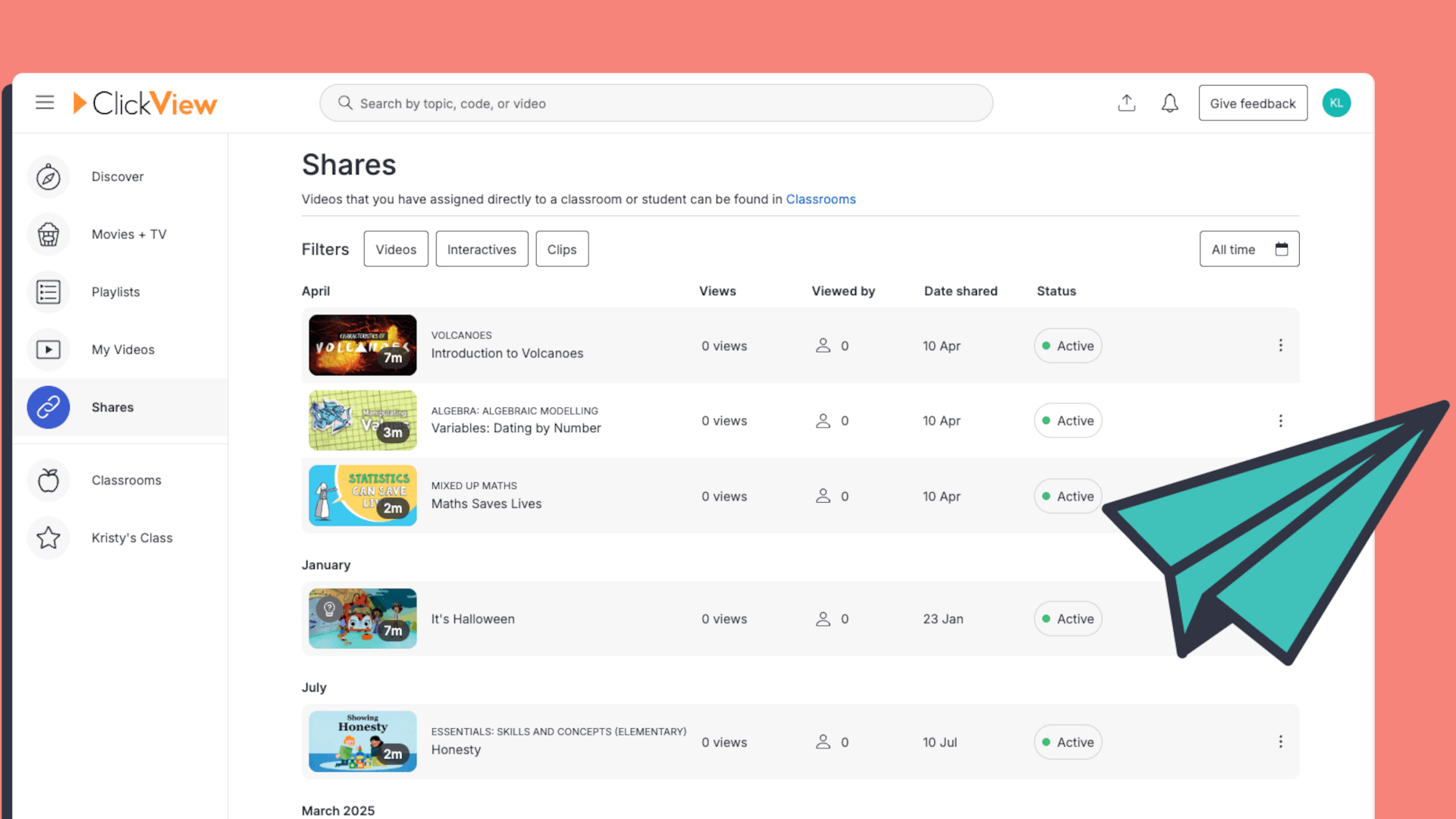
Teachers start by logging in to their school account. They can then immediately search by topic, subject, or keyword as needed. Filters help to narrow results with results focused on level, content type, and topic.
When the video has been picked, it can be played in class, shared with students directly, embedded into lesson plans, or assigned for independent study at another time.
Teachers can give student access via a class code, or students can get in using their own login, depending on how the school is setup. This can mean in-class use but also at-home learning, if a hybrid model is being used with this setup.
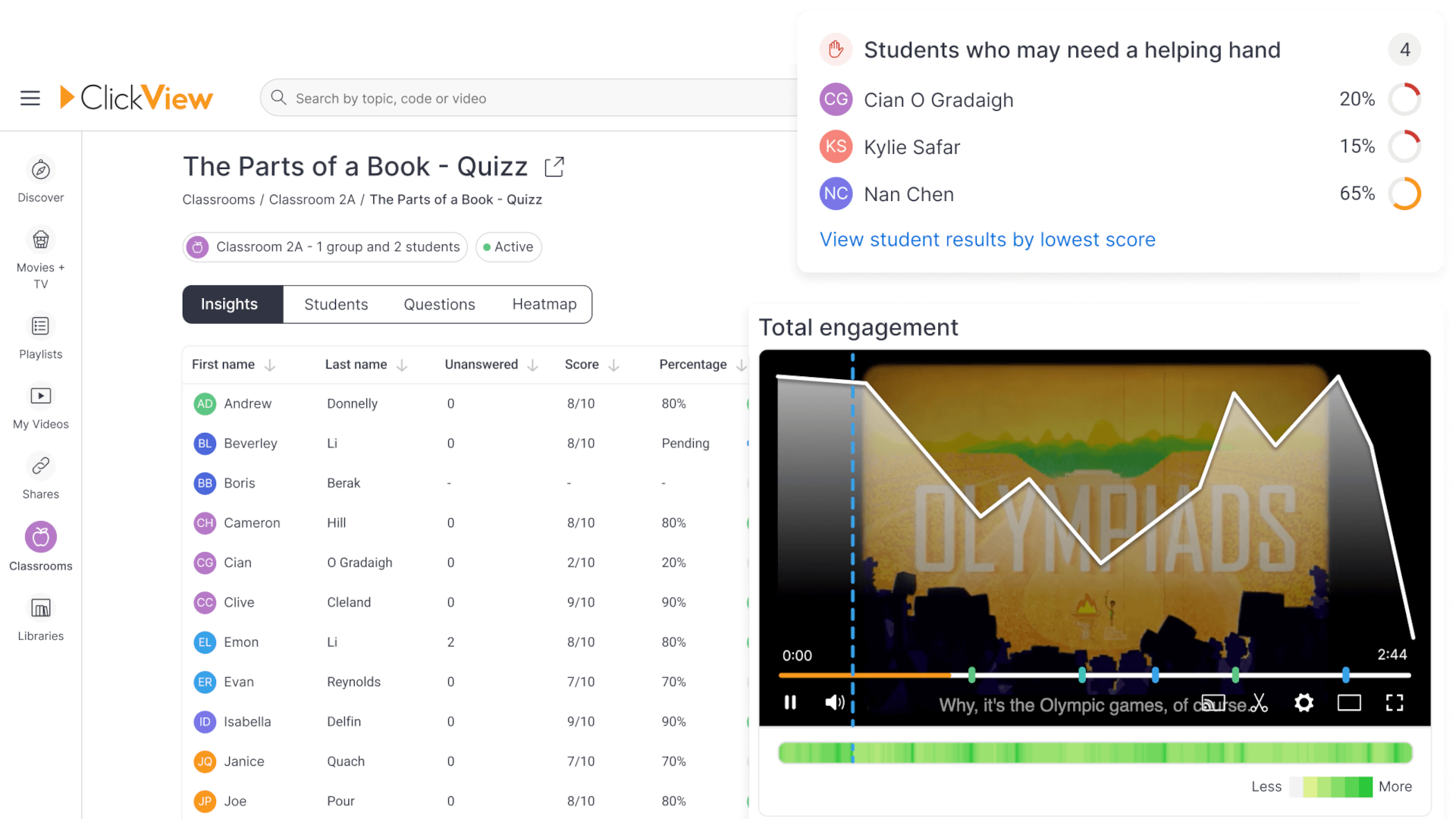
Usefully, teachers can also add interactive layers to follow after the video has been watched. These include questions, annotations, and interactive timeline elements. All that should make for a more active learning experience that sticks.
What are the best ClickView features?
ClickView has thousands of videos that are all curriculum-aligned, so teachers can search by specific topic to quickly find ideal materials without the need to vet it themselves.
The interactivity of videos is a big draw here as it allows teachers to tailor the follow-up experience. That can lead to a more engaged viewer, knowing they need to answer questions after.
The search functionality is a big draw here as it allows for direct keyword searches but also a browse function. This can help stimulate lesson planning by browsing what’s available, or offer direct results to save on time.
Since students can access these videos via a shared code, or school login, it makes for easy access across devices. Sharing these for in-class or at-home use is just as easy either way.
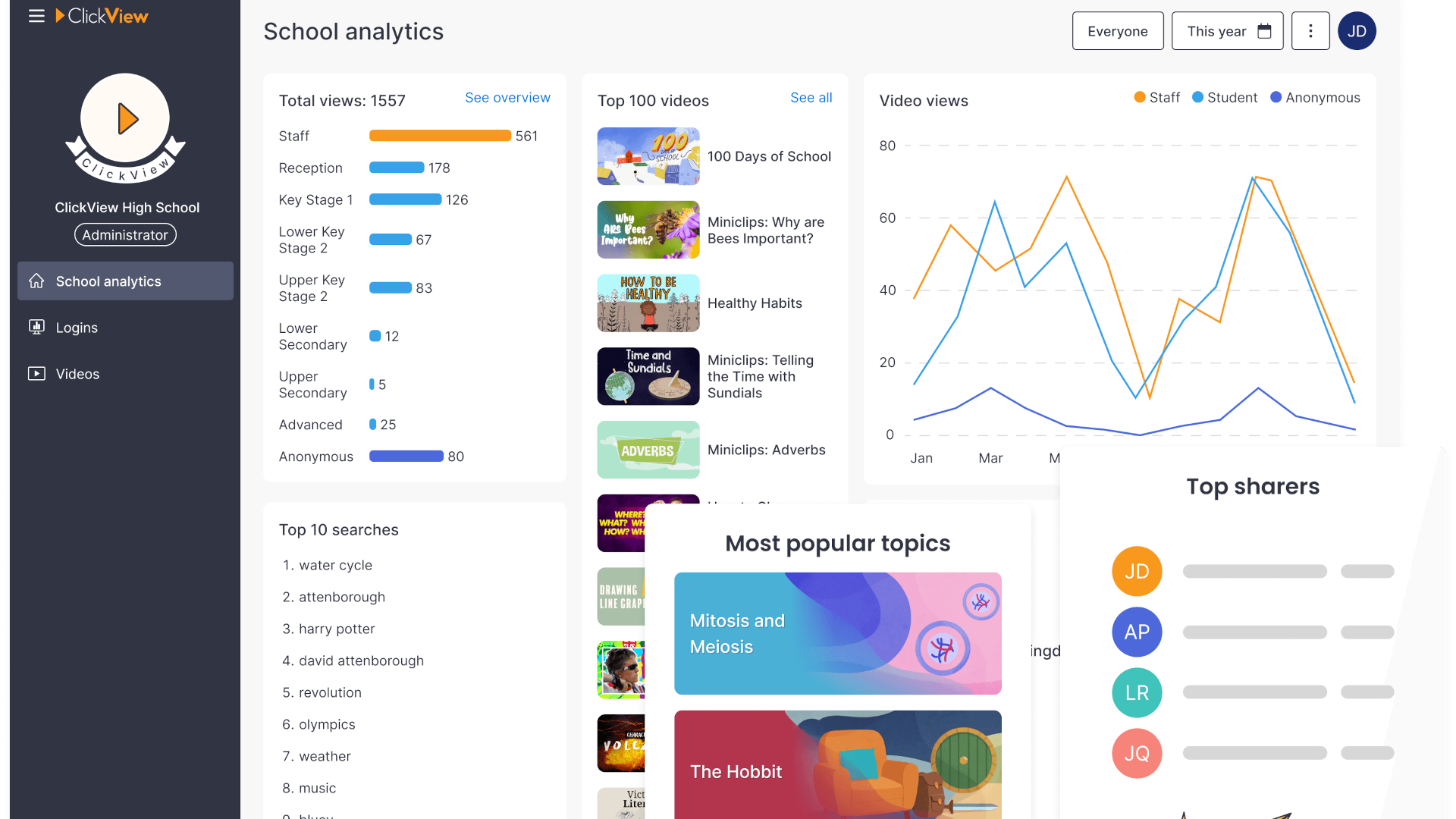
Analytics tools allow teachers to see how students have engaged with the videos and interactive elements. This should be useful in guiding help for students, adapting lesson plans, and generally tailoring support.
Teachers can even upload their own videos and resources to help build the customized library available across the school or class.
How much does ClickView cost?
ClickView pricing is not publicly listed and is typically offered via a school or district subscription model.
Costs vary depending on school size, region, feature access, and licensing requirements.
Schools usually need to request a quote or demo to get specific pricing details.
ClickView best tips and tricks
Use clips instead of full videos
Short segments keep attention high and allow for more targeted discussion.
Add questions directly into videos
Embedding quizzes help check understanding in real time without extra worksheets.
Flip the classroom
Assign videos as homework so lesson time can focus on discussion and application.